Adding Project To Database
Anyone can add a project that is not already in the Alphabot database, including collab managers preparing to host or set up raffles. Check whether the project already exists before adding it.
Method 1: From the Projects List
Section titled “Method 1: From the Projects List”- Open the Projects List.
- Click NEW in the top-left corner.
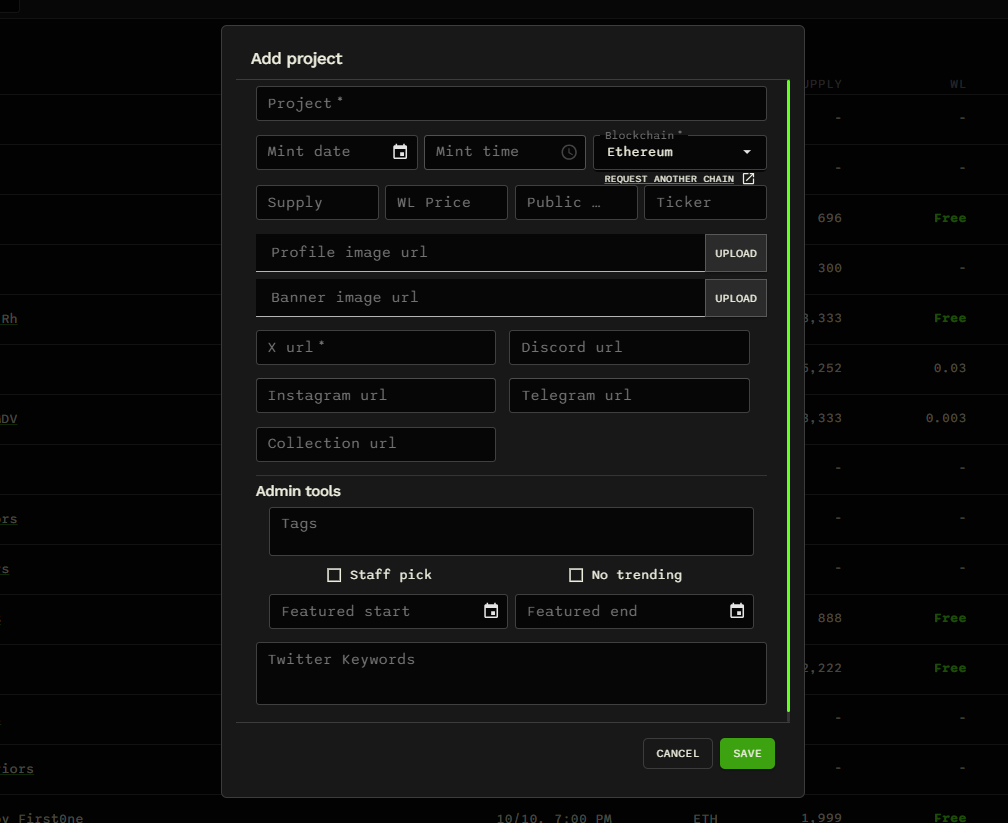
- Fill in the project’s details. The main details are the project name and X link.
- Click SAVE to add the project.
Method 2: While creating a raffle
Section titled “Method 2: While creating a raffle”- Open the Create a New Raffle page.
- Find the Project data source field.
- Click the plus (+) button at the far right to add a project that is not already in the database.
- Fill in the project’s details, including its name and X link, then click SAVE.

Who can edit the project afterward?
Section titled “Who can edit the project afterward?”Adding a project does not automatically give you permission to edit it afterward. The project’s team, or a team member with the project’s X account connected to their Alphabot profile, can make subsequent edits.