Changing Project Data
You can update your project’s information through the Projects List. Connect the project’s X (Twitter) account to your Alphabot profile first to verify that you are authorized to make changes.
1. Find your project
Section titled “1. Find your project”Open the Projects List, or search for your project by entering its X link in the search bar. On mobile, the Projects List icon is at the bottom of the screen.
2. Connect the project’s X account
Section titled “2. Connect the project’s X account”Make sure the project’s X account is connected to your Alphabot profile. This verification helps prevent people outside the project’s team from changing its data.
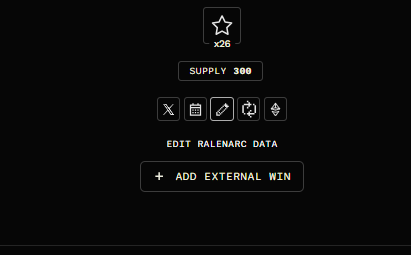
With the project’s X account connected, you should see the edit icon, shown as a pencil in the screenshot below.
3. Update the project information
Section titled “3. Update the project information”Click the edit icon to update details such as the mint date, mint time, blockchain, supply, price, and collection or website URL, among other options.
Need help as an X delegate?
Section titled “Need help as an X delegate?”If you are a delegate for the project’s X account and do not have full access, contact the Alphabot support team for help updating the project data.